
Our top pick: Kensington Expert Mouse Wired Trackball (Wired ambidextrous use)
A trackball keeps the device still while your thumb or fingers move the cursor, so the right choice comes down to connection, shape, buttons and desk space.
On this page
- Our Top Picks
- Kensington Expert Mouse Wired Trackball
- TECKNET Angled Wireless Trackball for Larger Hands
- Logitech ERGO M575S Thumb Trackball
- Nulea M501 Wireless Thumb Trackball
- ProtoArc EM04 Quiet Wireless Trackball
- GameBall Thumb
- Kensington Orbit 40mm Trackball with Scroll Ring
- Kensington Orbit Scroll Ring Trackball
- ProtoArc EM01 NL
- Nulea Silent Wireless Trackball with Tilt Stand
- Start with how it connects
- Decide how much button control you need
- Match the shape to your hand and desk
- Frequently Asked Questions
- Category verdict
| Kensington Expert Mouse Wired Trackball | 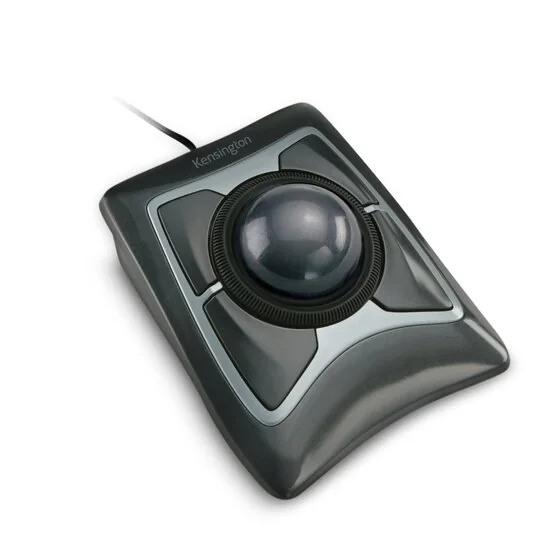 | Wired ambidextrous use | Wired USB connection | Ambidextrous finger-operated trackball | 55 mm ball and four programmable buttons | View at Kensington | Read Our Analysis |
| TECKNET Angled Wireless Trackball for Larger Hands | 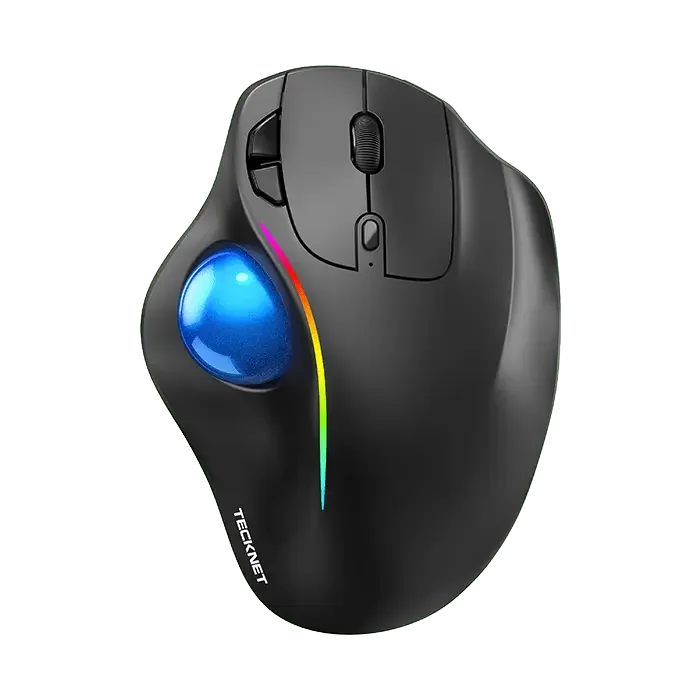 | Larger-hand ergonomics | 16° vertical angle design | Sized for medium to large hands | Rechargeable 500mAh battery | View at TECKNET | Read Our Analysis |
| Logitech ERGO M575S Thumb Trackball | 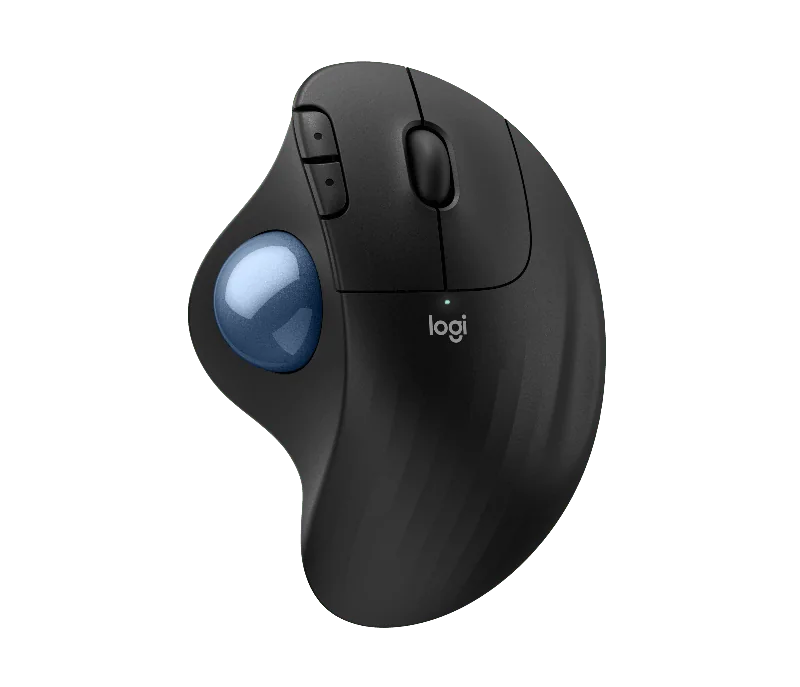 | Quiet thumb control | Bluetooth or Logi Bolt receiver | Three customizable buttons | AA battery included | View at Logitech | Read Our Analysis |
| Nulea M501 Wireless Thumb Trackball | 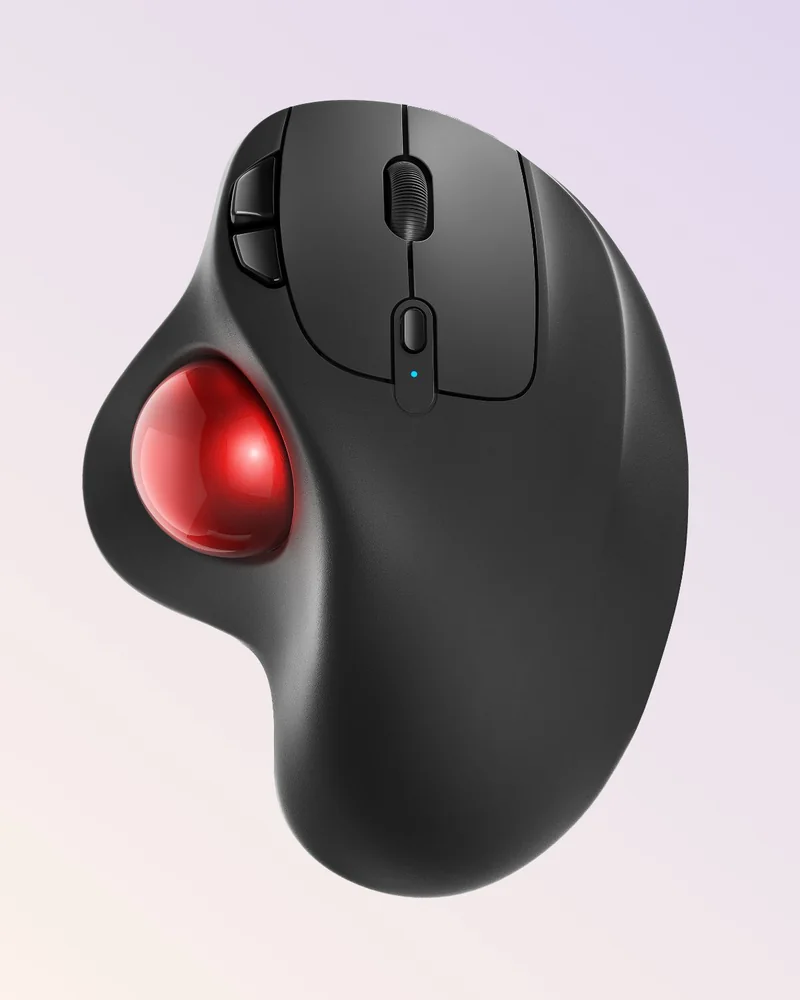 | Cramped desk setups | Bluetooth or USB dongle, up to 3 devices | Built-in rechargeable battery | Four DPI levels | View at Nulea | Read Our Analysis |
| ProtoArc EM04 Quiet Wireless Trackball | 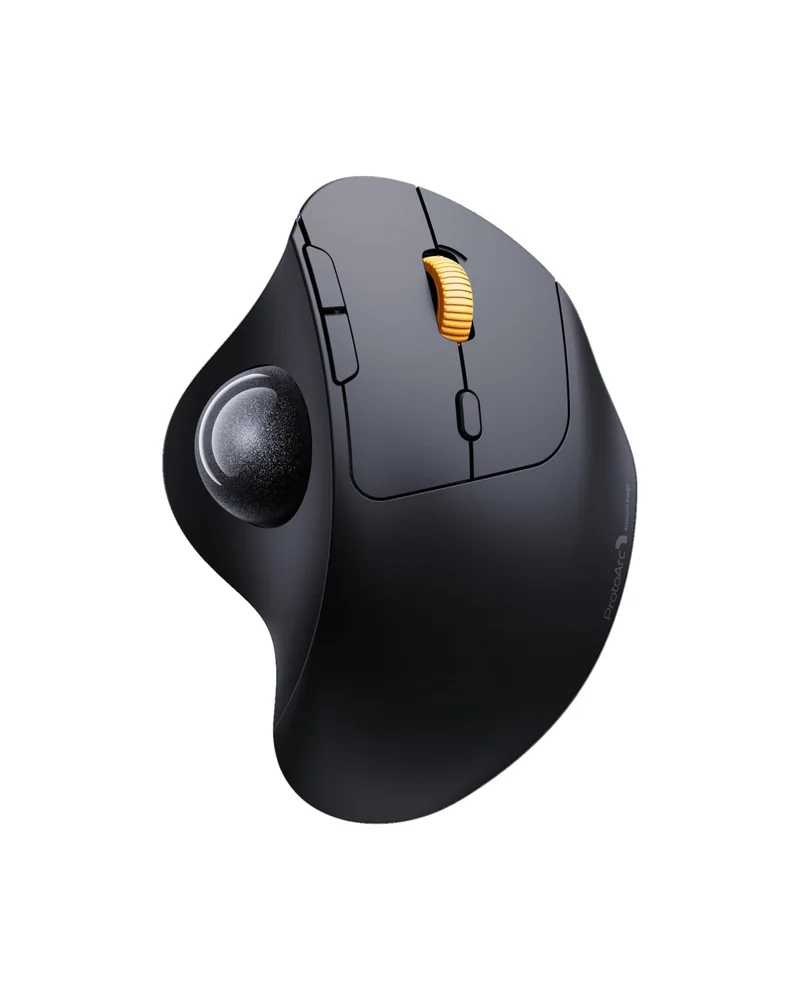 | Quiet multi-device use | Bluetooth and 2.4G, three devices | 450mAh rechargeable battery | Quiet clicks | View at ProtoArc | Read Our Analysis |
| GameBall Thumb | 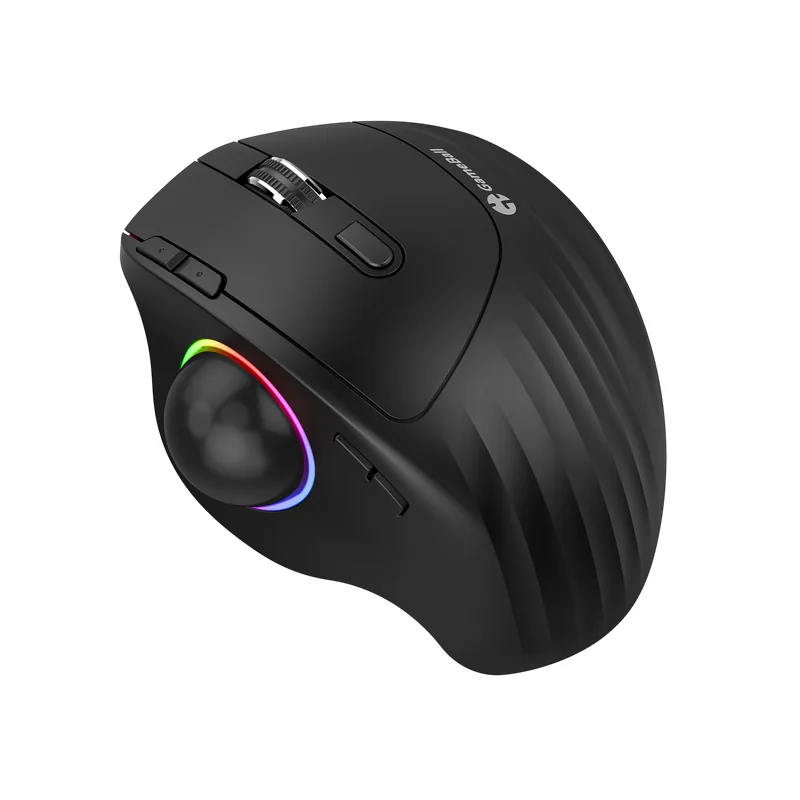 | Wired RGB trackball | Wired USB or 2.4 GHz wireless | RGB lighting | Thumb control and up to 1000 Hz polling | View at GameBall | Read Our Analysis |
| Kensington Orbit 40mm Trackball with Scroll Ring | 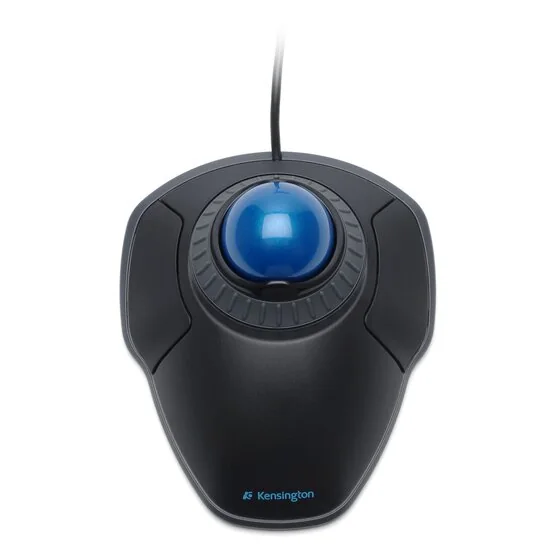 | Large 40mm ball | 40mm blue ball | Scroll ring and detachable wrist rest | Two assignable buttons | View at Kensington | Read Our Analysis |
| Kensington Orbit Scroll Ring Trackball | 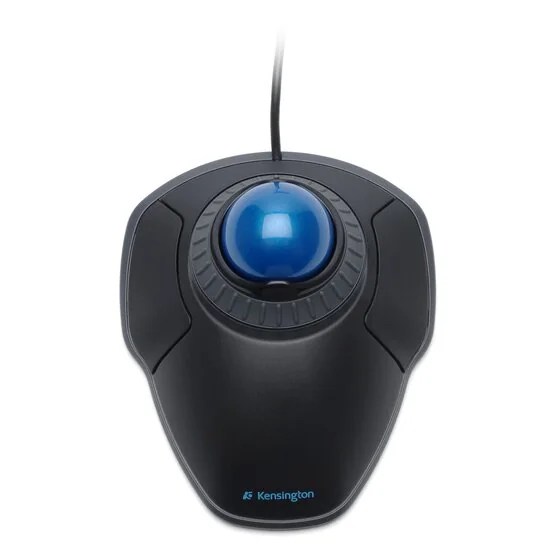 | Scroll ring comfort | Scroll ring for pages and documents | Detachable wrist rest | Ambidextrous design | View at Kensington | Read Our Analysis |
| ProtoArc EM01 NL | 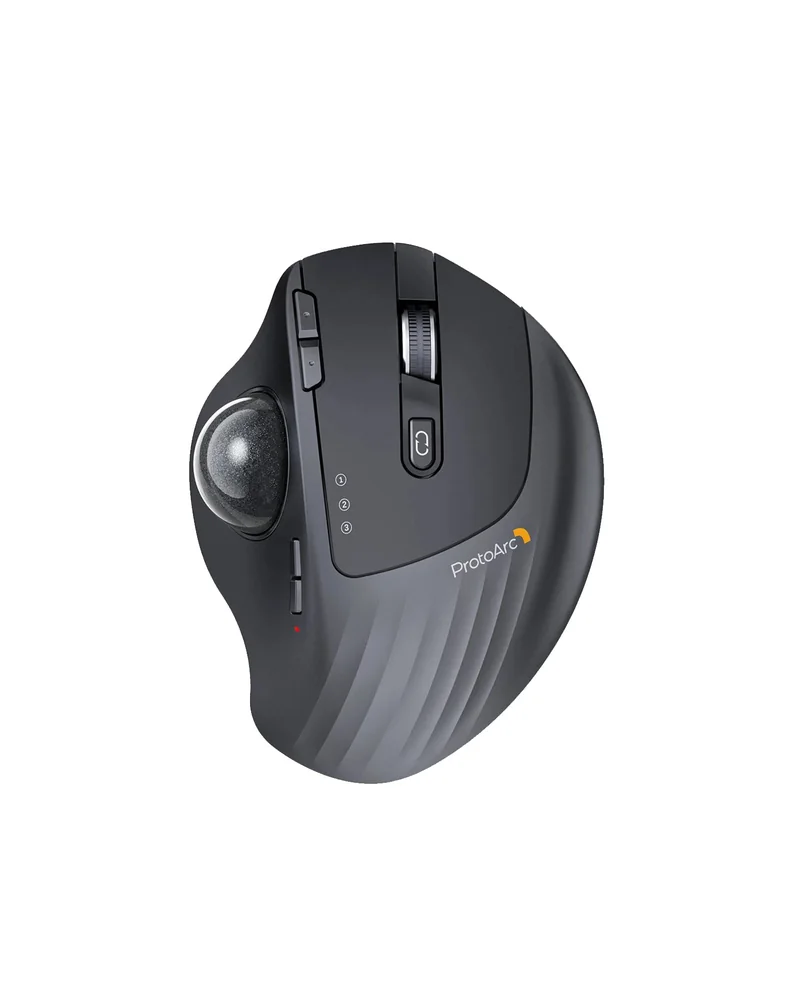 | Switchable tilt angle | Switchable 0-degree or 20-degree tilt | 2.4 GHz receiver and two Bluetooth connections | Quiet clicks and rechargeable battery | View at ProtoArc | Read Our Analysis |
| Nulea Silent Wireless Trackball with Tilt Stand | 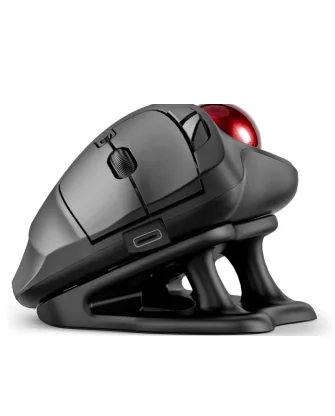 | Silent steep-tilt use | 21.7° tilt stand included | Bluetooth or USB receiver, up to 3 devices | Four DPI levels, 400 to 1600 | View at Nulea | Read Our Analysis |
More Details on Our Top Picks
Kensington Expert Mouse Wired Trackball
Kensington Expert Mouse Wired Trackball gives either hand a large, centrally mounted ball with four programmable buttons around it. The wired USB connection suits a desk where you want an ambidextrous trackball without managing batteries or a wireless receiver.
Its 55 mm ball and optical tracking favour deliberate finger movements, while the detachable wrist rest lets you choose how much support you want. The substantial base takes more desk space than a small thumb trackball, so check the footprint before choosing it for a cramped workstation.
- Wired USB connection
- Ambidextrous finger-operated trackball
- 55 mm ball and four programmable buttons
TECKNET Angled Wireless Trackball for Larger Hands
It switches between up to three devices with a button.
The maker lists 15 minutes of charging as enough for a full day of use.
The listing recommends one to two weeks of getting familiar with it.
- Angle:A 16° vertical angle.
- Hand size:Measures 5.5" × 4.1" × 2" for medium to large hands.
- Connection:Pairs with up to three devices over Bluetooth and 2.4G.
- Range:Signal listed up to 34 feet.
- Battery:A 500mAh rechargeable battery.
- Charging:15 minutes of charging listed for a full day of use.
- DPI:Five levels from 100 to 1200.
- Control:Thumb-operated trackball suited to confined spaces.
Logitech ERGO M575S Thumb Trackball
The thumb-operated ball lets the cursor move while the hand stays put.
Button customization and cursor speed settings depend on the Logi Options plus app.
- Connection:Bluetooth or the included Logi Bolt USB receiver.
- Buttons:Three customizable buttons with Smart Actions.
- Battery:Up to 18 months of battery life, AA included.
- Clicks:The buttons use quiet clicks.
- Thumb control:Moves the cursor without moving your hand.
- Materials:Plastic parts use certified post-consumer recycled content.
- Cleaning:The ball can be ejected from its cage for cleaning.
Nulea M501 Wireless Thumb Trackball
The listing points to narrow spaces such as a messy desktop, couch or small writing board.
The 2.4G USB receiver stores on the bottom of the mouse.
All six buttons are non-programmable.
The charging notes advise against using a fast charger.
- Connection:Bluetooth or a 2.4G USB dongle, up to three devices.
- Receiver:The USB receiver stores at the bottom of the mouse.
- Battery:Built-in rechargeable battery.
- Charging:Use the included cable; avoid fast chargers.
- Buttons:Six buttons including Back and Forward, none programmable.
- Surfaces:Listed for almost any surface, including narrow spaces.
- DPI:Four DPI levels.
- Control:Thumb trackball instead of moving wrist and arm.
ProtoArc EM04 Quiet Wireless Trackball
Triple connection modes let it switch between Android, tablet and Mac with one button.
The maker lists one month of standby per full charge and an auto sleep mode.
All buttons are non-programmable, and Back and Forward do not work on Mac OS.
- Connection:Bluetooth and 2.4G with one-button switching.
- Compatibility:Listed for Windows, Android and Mac OS.
- Battery:Built-in 450mAh battery, about one month standby per charge.
- DPI:Five levels from 200 to 1600.
- Noise:Quiet clicks and a frosted surface.
- Auto sleep:Enters sleep mode after a few minutes unused.
- Buttons:Six buttons, none programmable.
- Surfaces:Listed as usable on a leg, sofa and other surfaces.
GameBall Thumb
GameBall Thumb combines thumb-controlled navigation with RGB lighting and a detachable braided USB cable. Use the cable for a wired setup, or switch to its 2.4 GHz wireless connection when you want more freedom around the desk.
Its 1000 Hz polling option makes it worth considering for a responsive gaming setup, although changing from a conventional mouse to a thumb trackball takes practice. The wired mode keeps this slot useful for readers who prefer a cable, with wireless operation available as an extra rather than a requirement.
- Wired USB or 2.4 GHz wireless
- RGB lighting
- Thumb control and up to 1000 Hz polling
Kensington Orbit 40mm Trackball with Scroll Ring
The blue 40mm ball has a hard spherical surface and is paired with optical tracking.
A scroll ring and an ambidextrous layout round out the design.
On ChromeOS, customization through KensingtonWorks is not available.
- Ball size:The blue ball measures 40mm.
- Tracking:Optical tracking technology.
- Scrolling:A scroll ring moves through pages and documents.
- Handedness:Ambidextrous design for left or right hands.
- Wrist rest:A detachable wrist rest is included.
- Software:Software assigns functions to two buttons and adjusts speeds.
- ChromeOS:HID functions work; KensingtonWorks customization does not.
- Dimensions:Listed as 4 1/2 x 5 1/2 x 2 inches.
Kensington Orbit Scroll Ring Trackball
The scroll ring replaces a wheel for moving through pages and documents, and the layout works for both hands.
Only two buttons are available for assigning functions.
- Scrolling:A scroll ring handles web pages and documents.
- Wrist rest:The wrist rest detaches.
- Software:Free software assigns functions to two buttons and adjusts speeds.
- Tracking:Optical tracking handles cursor movement.
- Handedness:Works for right- and left-handed users.
- Color:Listed as Black-Grey.
ProtoArc EM01 NL
ProtoArc EM01 NL puts a thumb trackball on a hinged base that switches between a flat position and a 20-degree tilt. That adjustment lets you compare two hand positions without replacing the mouse.
It supports a USB wireless receiver and two Bluetooth connections, making it useful when you move between three devices. Quiet main clicks and USB-C charging suit everyday desk work; the right-handed thumb layout still needs to match your grip and hand size.
- Switchable 0-degree or 20-degree tilt
- 2.4 GHz receiver and two Bluetooth connections
- Quiet clicks and rechargeable battery
Nulea Silent Wireless Trackball with Tilt Stand
The maker describes the trackball, buttons and scroll wheel as noise-free.
The tilt stand angles the mouse at 21.7°, the steepest angle in this roundup.
None of its six buttons can be programmed.
- Tilt:Comes with a 21.7° tilt stand.
- Noise:Described as noise-free across trackball, buttons and wheel.
- Connection:Bluetooth or the included USB receiver, up to three devices.
- DPI:Four levels from 400 to 1600.
- Buttons:Six buttons, none programmable.
- Compatibility:Listed as compatible with PC, Mac, laptops, tablets and phones.
- Control:Thumb-controlled trackball reduces hand and arm movement.
First pick: Kensington Expert Mouse Wired Trackball — View at Kensington
Frequently Asked Questions
Which trackball mouse is the best?
For Bluetooth or a Logi Bolt receiver with customizable buttons and an AA battery, the Logitech ERGO M575S is a strong all-round pick here.
If you prefer a wired connection, the Kensington Expert Mouse Wired Trackball offers four programmable buttons and a shape for either hand.
What are the downsides of using a trackball?
There is a learning curve, and one listing suggests spending one to two weeks getting familiar with its trackball.
Several models here have non-programmable buttons, so check that before buying if shortcuts matter.
Are trackballs outdated technology?
Several models here offer Bluetooth, 2.4G connections and rechargeable batteries.
Category verdict
The Logitech ERGO M575S suits buyers who want wireless freedom, customizable buttons and an AA battery.
The Kensington Expert Mouse Wired Trackball suits anyone who prefers a wired connection with programmable buttons.
For a steeper tilt in a quiet shared space, the Nulea tilt-stand model is worth a look, though its buttons are not programmable.