

One-handed gaming keyboards let players keep a mouse in their dominant hand while accessing shortcuts, macros, and movement keys with the other.
Options span fully adjustable analog keypads down to budget wired combos bundled with a mouse and USB hub.
This roundup compares ten models across build quality, macro customization, ergonomics, connectivity, and value to help match the right layout to your play style.
| Azeron Cyborg II One-Handed Gaming Keypad | 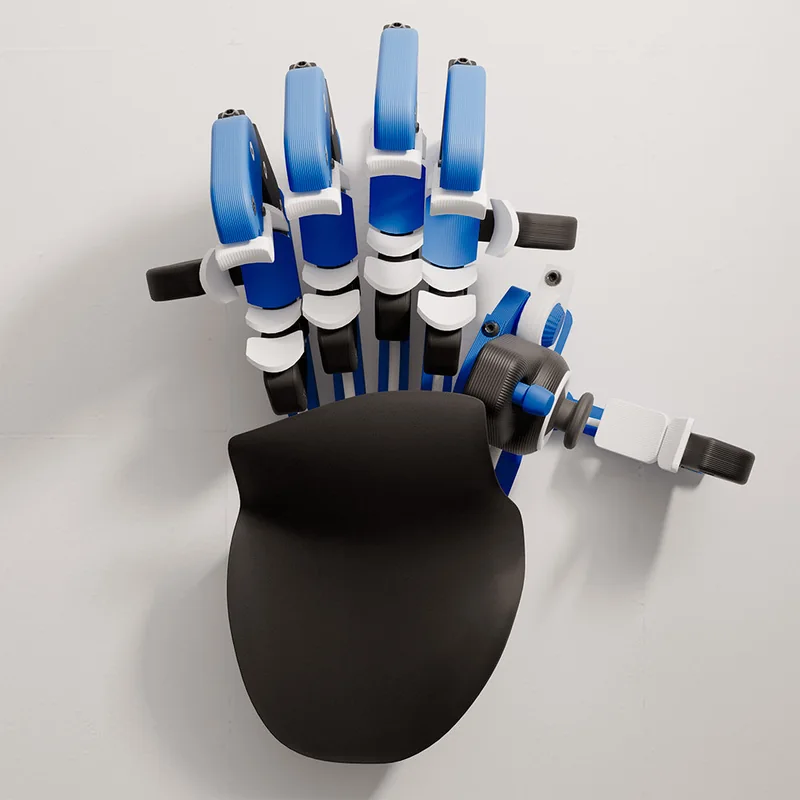 | MMO/FPS Analog Precision | Build Quality & Durability: 30 mappable inputs with macro programmability | Customization & Macro Programming: Hall Effect thumbstick eliminates drift | Ergonomic Comfort: Fits hands 6.3-7.5 inches | View at Azeron | Read Our Analysis |
| Redragon K585 Wired One-Handed Gaming Keypad | 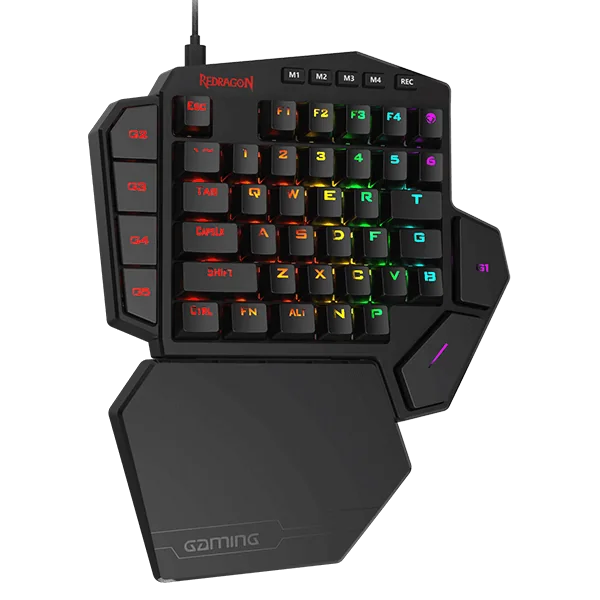 | Hot-Swap Macro Power | Build Quality & Durability: 7 macro keys with 28 total across 4 profiles | Customization & Macro Programming: Hot-swappable 3-pin or 5-pin switches | Ergonomic Comfort: USB pass-through with detachable wrist rest | View at Redragon | Read Our Analysis |
| Razer Tartarus V2 Left-Handed Gaming Keypad | 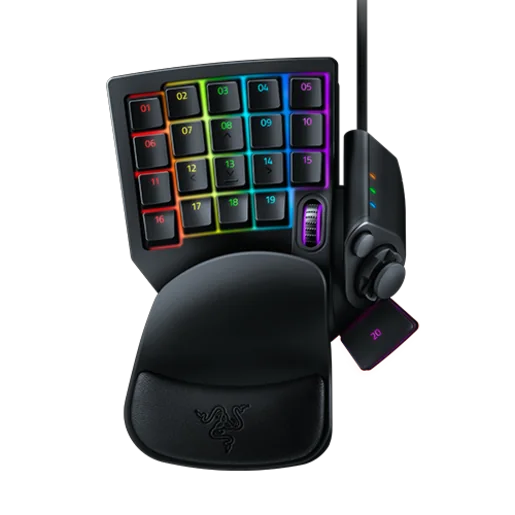 | Pro Macro & RGB | Build Quality & Durability: 32 programmable mecha-membrane keys | Customization & Macro Programming: Hypershift doubles programmable macro combos | Ergonomic Comfort: Razer Chroma syncs 16.8M colors across gear | View at Razer | Read Our Analysis |
| MageGee Mechanical One-Handed Gaming Keyboard | 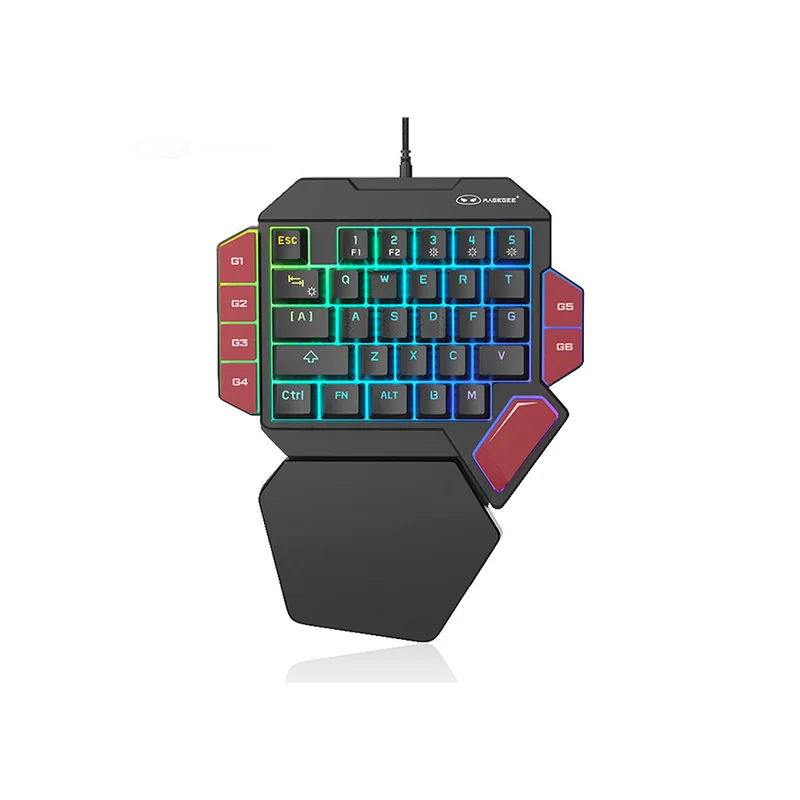 | Reliable Budget Mechanical | Build Quality & Durability: 6 macro recording keys (G1-G6) | Customization & Macro Programming: Blue mechanical switches with crisp tactile click | Ergonomic Comfort: Fixed, non-detachable palm rest | View at MageGee | Read Our Analysis |
| MageGee Wireless One-Handed Gaming Keyboard | 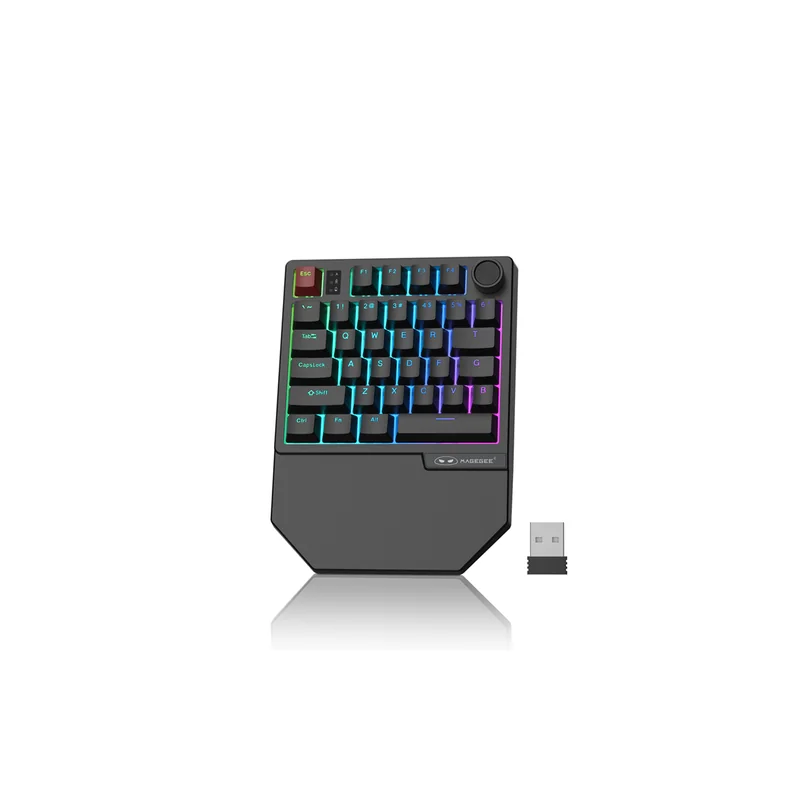 | Cable-Free Flexibility | Build Quality & Durability: Tri-mode Bluetooth/2.4GHz wireless connectivity | Customization & Macro Programming: 34 non-conflict red linear switches | Ergonomic Comfort: Ergonomic wrist rest built in | View at MageGee | Read Our Analysis |
| RedThunder Wireless One-Handed Gaming Keypad | 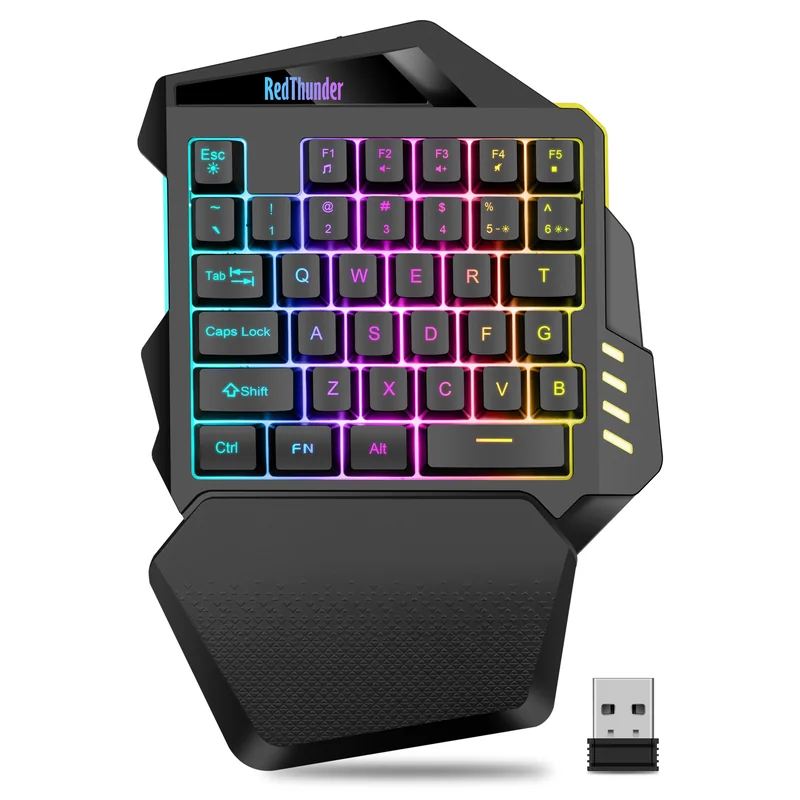 | Marathon Battery Life | Build Quality & Durability: 2000mAh battery rated 15-20 hours with RGB on | Customization & Macro Programming: 35-key layout optimized for one-handed gaming | Ergonomic Comfort: 2.4GHz wireless with USB receiver, no pairing | View at RedThunder | Read Our Analysis |
| RedThunder Wired One-Handed Gaming Keyboard | 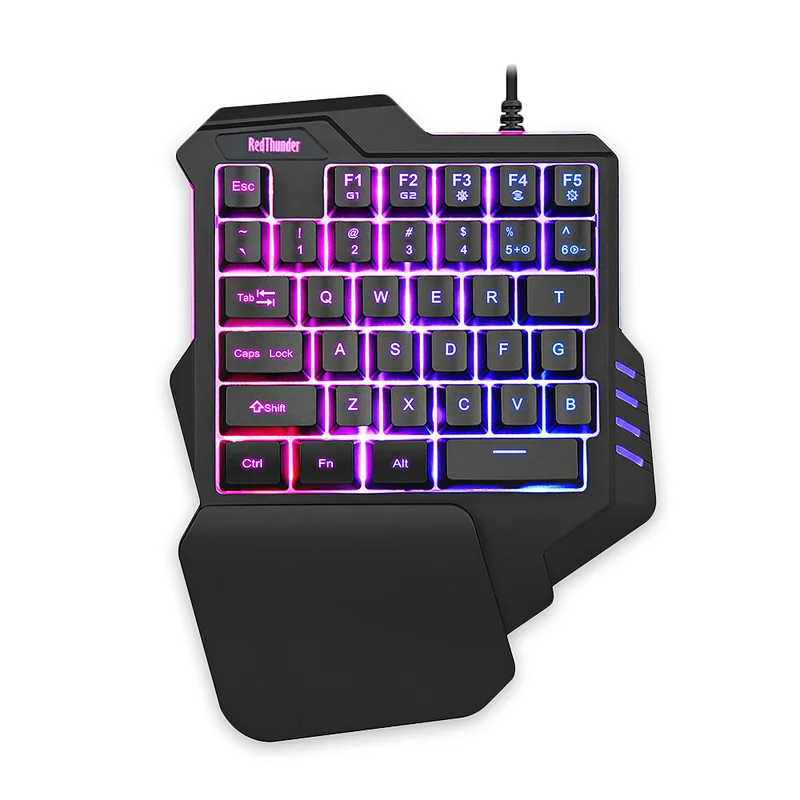 | Budget Wired Comfort | Build Quality & Durability: Ergonomic wrist rest eases laptop-keyboard strain | Customization & Macro Programming: 3ms response with anti-ghosting across 35 keys | Ergonomic Comfort: Driver-free plug-and-play across major OSes | View at RedThunder | Read Our Analysis |
| RedThunder G30 Keyboard and Mouse Combo | 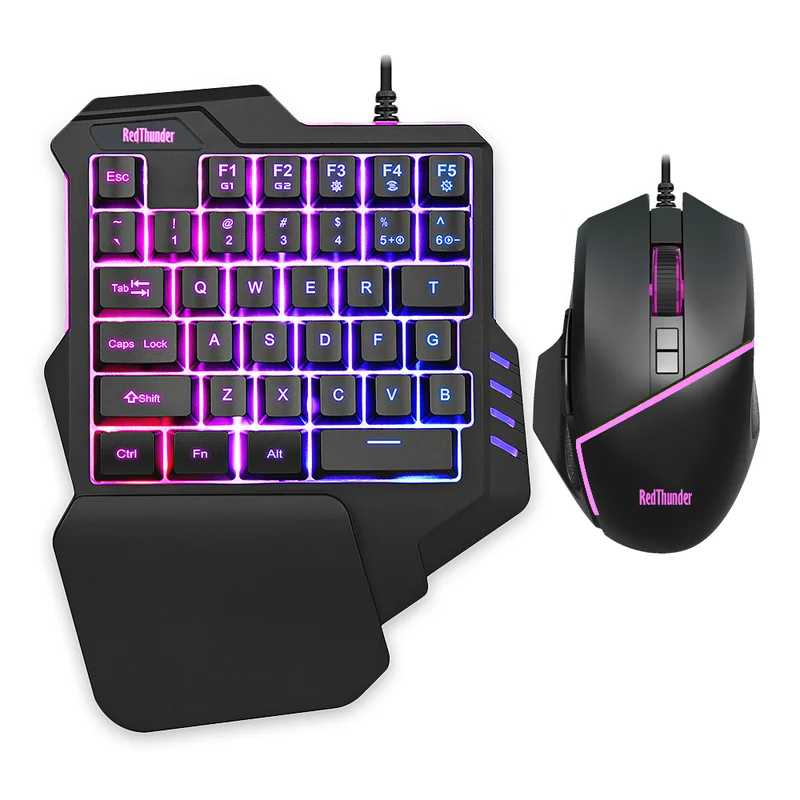 | Cheap Kid-Friendly Bundle | Build Quality & Durability: Wired keypad and mouse bundle | Customization & Macro Programming: See maker programming details | Ergonomic Comfort: Integrated wrist support | View at RedThunder | Read Our Analysis |
| Azeron Cyborg II Compact | 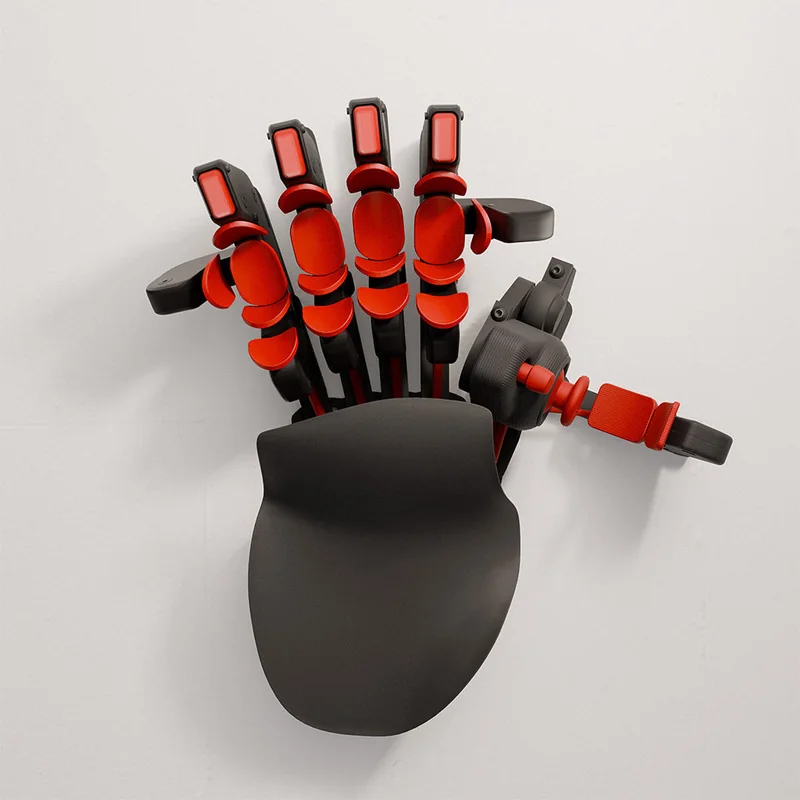 | Compact Secondary Keypad | Build Quality & Durability: Adjustable finger controls | Customization & Macro Programming: Programmable inputs | Ergonomic Comfort: Compact layout and adjustable fit | View at Azeron | Read Our Analysis |
| One-Handed Gaming Keyboard & Mouse Combo Kit | 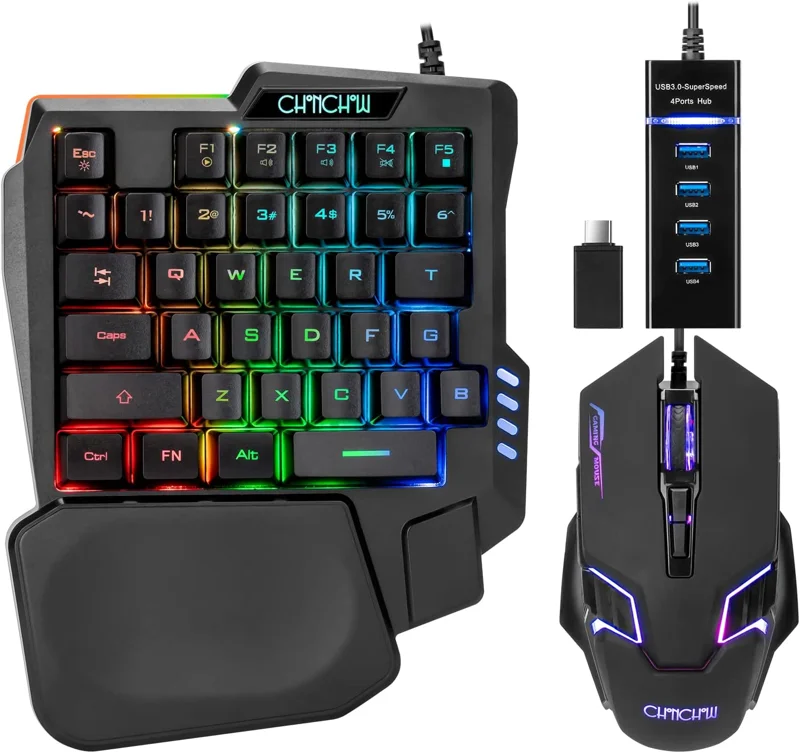 | All-in-One Crossplay Kit | Build Quality & Durability: Keyboard, mouse, and 4-port USB hub bundle | Customization & Macro Programming: Mouse with 4 DPI levels up to 7200 | Ergonomic Comfort: Compatible with PC, PS4, Xbox One, and Switch | View at CHONCHOW | Read Our Analysis |
More Details on Our Top Picks
1. Azeron Cyborg II One-Handed Gaming Keypad
Reviewers highlight rock-solid build quality and adjustments that lock in without drifting once dialed in.
Users with larger hands report the medium-size frame still fits comfortably after adjustment.
Stored control layouts and exclusive software let players fine-tune thumbstick dead zones and sensitivity per game.
One reviewer experienced the thumbstick getting stuck in the up position and reported no response from customer support.
- Programmable Inputs:30 mappable keyboard, mouse, or macro inputs
- Thumbstick:Hall Effect analog thumbstick with adjustable dead zones and sensitivity
- Software:Azeron software adds RGB lighting and thumbstick fine-tuning
- Stored Profiles:Stores up to six control layouts on the device
- Hand Fit:Designed for hand sizes 6.3 to 7.5 inches
- Genre Fit:Built for FPS, MOBA, and RPG playstyles
- Reviewer Build Take:Reviewers describe the construction as sturdy with adjustments that don't drift
- Hand Orientation:Built for right-handed use, replacing the keyboard hand
2. Redragon K585 Wired One-Handed Gaming Keypad
Reviewers say the keypad feels more like a full keyboard than competing keypads, easing the learning curve.
One reviewer uses it for video-editing and streaming macros, not just gaming, praising the onboard macro memory and hot-swap sockets.
Customer feedback indicates: A WoW player reports the keys are very responsive and appreciates the natural spacebar position.
A reviewer switching from the Razer Tartarus V2 found the build a bit light, though still solid thanks to the mechanical switches.
One reviewer noted the default key-press delay felt slightly slow until manually tuned in software.
- Macro Keys:7 onboard macro keys store 28 total across 4 profiles
- Switch Swapping:Hot-swap socket accepts most 3-pin or 5-pin switches
- Connectivity:USB pass-through port for a mouse or headset
- Lighting:16.8 million colors across 5 RGB modes
- Software:Pro software records custom macros and lighting effects
- Wrist Rest:Detachable wrist rest for a smaller footprint
- Reviewer Build Take:Reviewers say the build feels light but the mechanical switches keep it solid
- Reviewer Comfort Take:Customer feedback indicates: A WoW player says it keeps their arm in a better position with responsive keys
3. Razer Tartarus V2 Left-Handed Gaming Keypad
A reviewer who cycled through three failing Huion K20 pads found the Tartarus V2 an easy switch with more than enough programmable keys.
A long-term user reports using it for 16 hours straight without hand soreness after tuning ergonomics like a spacebar riser.
The 8-way directional thumbpad gives console-oriented players a more familiar movement control layout.
One reviewer found the bottom key row hard to reach and described the keys as loud after six months of use.
The same reviewer reported a key on the thumbstick stopped working after six months, raising durability concerns.
- Programmable Keys:32 mecha-membrane keys fully programmable
- Macro System:Razer Hypershift doubles available macro combinations
- Lighting Sync:Razer Chroma syncs 16.8 million colors with compatible gear
- Thumbpad:8-way directional thumbpad for console-style movement
- Switches:Mecha-membrane switches give tactile feedback with a cushioned feel
- Reviewer Endurance:A reviewer used it 16 hours straight without hand soreness
- Reviewer Durability Concern:A reviewer reported a thumbstick key failed after six months of use
4. MageGee Mechanical One-Handed Gaming Keyboard
A reviewer who had repeated USB-C failures on other keypads says this model's non-detachable cord and fixed palm rest have proven more reliable.
Another reviewer calls it one of the best one-handed keyboards they've bought, citing good RGB lighting and no input lag.
One reviewer reported the keyboard began taking 2–5 minutes to be detected after several months and received no response from the vendor.
- Switches:Blue mechanical switches with a loud, crisp click
- Macro Keys:6 dedicated macro recording keys (G1-G6)
- Macro Reset:Macros can be cleared and restored to default
- Palm Rest:Fixed, non-detachable palm rest for stability
- Compatibility:Plug-and-play USB across Windows, Linux, and Mac
- Lighting:Static and dynamic RGB backlight modes
- Reviewer Reliability Take:A reviewer says the fixed cord avoided the USB-C port failures they had on other keypads
- Reviewer Durability Concern:One reviewer reported detection issues developing after several months of use
5. MageGee Wireless One-Handed Gaming Keyboard
A reviewer says the keyboard works exceptionally well for a living-room couch or Steam-machine setup, saving the cost of a custom lapdesk.
Another reviewer notes it suits large or small hands thanks to the T and G key placement and feels fast for games like CS2 and Tarkov.
One reviewer found the red linear keys feel mushy out of the box until broken in.
A reviewer new to one-handed keyboards says it takes some time to get used to the layout.
- Connectivity:Tri-mode Bluetooth and 2.4GHz wireless
- Switches:34 non-conflict red linear switches
- Lighting:Static and dynamic RGB backlight modes
- Ergonomics:Big palm rest for wrist support
- Compatibility:Plug-and-play USB across Windows and Mac
- Reviewer Portability Take:A reviewer says it works perfectly for a living-room couch or Steam-machine setup
- Reviewer Wireless Take:A reviewer reports quick Bluetooth pairing with no lag issues
6. RedThunder Wireless One-Handed Gaming Keypad
A reviewer says the battery lasts a long time and recharges quickly while still delivering vivid RGB.
Another reviewer confirms it fits well in a gaming-chair armrest mount, though notes a lightweight, budget feel.
One reviewer reports the keypad slips easily due to its light weight and that switches feel mushy under fast presses.
Another reviewer experienced the backlighting failing within three weeks, and a replacement unit failed again within six weeks before the whole device stopped working.
- Battery:2000mAh battery rated 15-20 hours with RGB on, up to 30 off
- Connectivity:2.4GHz wireless via USB receiver, no Bluetooth pairing
- Layout:35-key layout with WASD, modifiers, and media keys
- Lighting:7-color RGB with static and breathing modes
- Ergonomics:Textured ABS wrist rest with non-slip base pads
- Reviewer Battery Take:A reviewer says the battery lasts a long time and charges quickly
- Reviewer Durability Concern:A reviewer's backlighting failed within three weeks, and a replacement unit failed again within six weeks
- Reviewer Build Feel:A reviewer notes the keypad feels cheap and slips due to its light weight
7. RedThunder Wired One-Handed Gaming Keyboard
A reviewer bought it for a laptop user with a wrist problem and reports it let her play comfortably on a pullout board.
Another reviewer says it has been their go-to gaming keyboard for several years and loves the backlighting.
One reviewer noticed an input delay and doesn't recommend it for competitive play.
The same reviewer reported it damaged the USB port on their PS5 when unplugged.
- Response:3ms response with anti-ghosting on all 35 keys
- Macro Keys:Two macro recording slots via FN+F1/F2
- Ergonomics:Portable design with a large wrist rest
- Lighting:7-color RGB backlight with breathe and static modes
- Compatibility:Driver-free plug-and-play across Windows, Mac, and Linux
- Reviewer Comfort Take:A reviewer says it let a laptop user with a wrist problem play comfortably
- Reviewer Longevity:A reviewer says it's been their go-to gaming keyboard for several years
- Reviewer Concern:A reviewer noticed input delay and reported it damaged their PS5's USB port
8. RedThunder G30 Keyboard and Mouse Combo
RedThunder G30 Keyboard and Mouse Combo pairs a compact one-handed gaming keypad with a wired mouse. The shortened keyboard layout and integrated wrist support suit a small gaming desk where the main goal is keeping movement keys close to hand.
RGB lighting gives the set a gaming look, while the wired connections keep setup straightforward on compatible computers. It remains a compact gaming kit rather than a full typing keyboard, so a child who also needs to write homework will need a normal keyboard available.
- Compact one-handed keypad and mouse bundle
- Wired connections
- RGB lighting and integrated wrist support
9. Azeron Cyborg II Compact
Azeron Cyborg II Compact is a specialist one-handed gaming keypad with adjustable finger controls and an analog thumbstick. Its compact upper-button arrangement keeps the control area concentrated beside a mouse rather than spreading a full keyboard across the desk.
Programmable inputs let you build a layout around individual games, but the unusual shape takes time to adjust and learn. It is best treated as a secondary gaming controller for someone who values custom fit, with a separate keyboard retained for ordinary typing.
- Adjustable finger controls
- 360-degree analog thumbstick
- Programmable inputs in a compact keypad layout
10. One-Handed Gaming Keyboard & Mouse Combo Kit
A reviewer says the compact design makes PS5 gaming easy and confirms it worked with Call of Duty Black Ops 7 zombies mode.
The same reviewer notes it doesn't pair with every game, citing Arc Raiders as one title it failed to work with.
Another reviewer found the build feels cheap, calling the keyboard uncomfortable and the mouse too small, with a loose internal part rattling.
- Bundle:Keyboard, mouse, and 4-port USB splitter with adapter
- USB Hub:4-port splitter carries keyboard, mouse, headset, and memory card
- Mouse DPI:4 DPI levels from 1200 to 7200
- Keyboard Size:Half-size RGB keyboard with wide wrist rest
- Media Keys:Dedicated multimedia shortcut keys
- Compatibility:Works with PC, PS4, Xbox One, and Switch; 1-year warranty
- Device Adapter:Includes Type-C adapter for some Android phones; iPhone needs separate adapter
- Reviewer Crossplay Take:A reviewer confirms it worked for PS5 gaming including Call of Duty Black Ops 7 zombies
- Reviewer Build Concern:Another reviewer found the build cheap with a loose part rattling inside the mouse
First pick: Azeron Cyborg II One-Handed Gaming Keypad — View at Azeron
Frequently Asked Questions
Is there a full one-handed keyboard available?
Most one-handed keyboards are compact keypads rather than full-size layouts, since they pair with a separate mouse for the other hand.
The Azeron Cyborg II, for example, offers 30 mappable inputs rather than a traditional full keyboard layout.
What's the point of a one-handed keyboard?
A one-handed keyboard keeps your other hand free for the mouse, letting you access movement and shortcut keys without stretching across a full keyboard.
One reviewer said switching to a one-handed keypad kept their arm in a better position during long WoW sessions.
Are there keyboards for one-handed people?
Yes, many gaming keypads designed for one-handed use can also help people with limited mobility, wrist injuries, or hand differences access a keyboard more comfortably.
One reviewer bought a one-handed keypad for a laptop user with a wrist problem who could then play comfortably on a pullout board.
Another reviewer said it helped them play games again after shoulder surgery.
What is the best one-handed keyboard for left-handed people?
The Razer Tartarus V2 is marketed specifically as a left-handed gaming keypad with 32 programmable keys.
What is the best one-handed keyboard?
For serious MMO and FPS players, the Azeron Cyborg II stands out for its Hall Effect analog thumbstick and 30 fully mappable inputs.
For power users who want hot-swappable mechanical switches and deep macro profiles, the Redragon K585 is a strong alternative.
Category verdict
The Azeron Cyborg II leads the pack for gamers who want fully adjustable, analog-precision control across genres.
Budget shoppers who just need a reliable wired keypad should consider the MageGee Mechanical keyboard's fixed palm rest and cord.
Those wanting cable-free freedom for couch gaming will appreciate the MageGee Wireless keypad's tri-mode connectivity.