
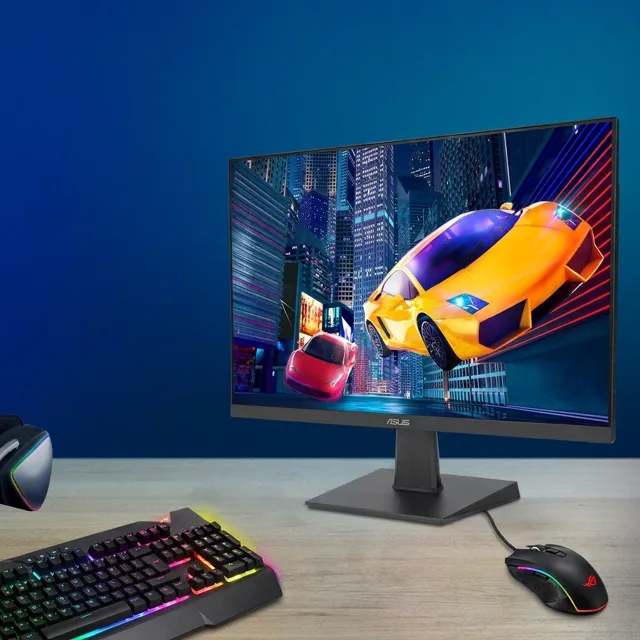
ASUS VZ27EHF Monitor Review
We may earn a commission from some links on this page.
The ASUS VZ27EHF is a 27-inch IPS display running at 1920 x 1080 with a 100Hz refresh rate, sold as refurbished stock. It is a monitor and nothing more: there are no USB ports, no webcam and no smart software. This review sets out what the listing actually promises, what that resolution looks like at this screen size, and who should buy one instead of a sharper and more expensive panel.
Key Takeaways
- A 27-inch IPS panel at 1920 x 1080, the plainest sensible size and resolution pairing for a desk.
- 100Hz refresh: smoother than the 60Hz screens that used to fill this bracket.
- The listing sells it as refurbished stock, professionally refurbished and tested, with original accessories and documentation.
- The retailer accepts returns for 30 days, which matters more than usual on a refurbished unit.
- It is a display only: no USB-C docking, no Thunderbolt, and no speakers promised in the listing.
What the VZ27EHF Is
Nothing in the listing points at gaming or colour grading: the VZ27EHF is a plain desk panel. The listing describes a 27-inch viewable panel with IPS technology, a 1920 x 1080 resolution and a 100Hz refresh rate. IPS is the panel type most office monitors use, because the picture holds up when you look at the screen from an angle rather than straight on.
The one thing to read carefully is the condition. This is refurbished stock: professionally refurbished and fully tested, with the retailer warning that the unit may show cosmetic wear while all functionality remains intact, and that original accessories and documentation are included. That is a fair description of what refurbished means in practice. The case may carry a mark; the panel and electronics have been checked.
What the listing does not offer is a dock. A monitor like this takes a video signal and shows it. A laptop that charges and sends video over a single USB-C cable needs a screen with USB-C power delivery, which this one does not claim, so plan on the laptop's own charger alongside the display cable.
A 1080p Panel at 27 Inches
Resolution is the decision that matters here, and it is a matter of taste as much as specification. At 27 inches, a 1920 x 1080 panel spreads the same number of pixels as a 24-inch screen over a larger area, so each pixel is bigger and fine detail is softer. Text at small sizes is where you notice it; photographs and video are more forgiving.
For documents, email, spreadsheets, browsing and streaming, the resolution is entirely workable, and it is the usual trade-off at this size. For photo editing at pixel level, long sessions of small type, or design work where you compare fine detail, a 4K panel of the same size carries more pixels and is the sharper choice when you need that extra detail.
The 100Hz refresh is the quieter upgrade. A 60Hz screen redraws sixty times a second; 100Hz redraws a hundred, so scrolling and window dragging look smoother and the pointer leaves a shorter trail. It is not a gaming monitor's speed, but it makes a work screen feel less sluggish than the office monitors it replaces.
Detailed Features
The retailer's listing is short, so the table stays with what it states.
| Screen size | 27 inches, viewable |
|---|---|
| Resolution | 1920 x 1080 (Full HD) |
| Panel | IPS |
| Refresh rate | 100Hz |
| Condition | Refurbished: professionally refurbished and fully tested, cosmetic wear possible |
| In the box | Original accessories and documentation, per the retailer |
| Returns | 30 days through the retailer |
| Docking | None claimed: this is a display, not a USB-C dock |
Two practical checks are worth making on the listing before you order. First, the video inputs: a 100Hz panel needs a connection that can carry 100Hz, and the listing should name the ports. Second, mounting: if the screen is going on an arm or a wall bracket, confirm the stand and the mounting holes in the description rather than assuming a pattern.
Advantages and Disadvantages
Reasons to consider it
- 27 inches of IPS panel, a size that suits a desk, in refurbished condition.
- 100Hz refresh makes scrolling and window movement smoother than 60Hz.
- The retailer states the unit is fully tested and includes the original accessories.
- A 30-day return window covers the risk that refurbished stock carries.
Reasons to pause
- 1080p is soft at 27 inches for fine text and detailed photo work.
- No USB-C or Thunderbolt, so a laptop still needs its own charger and a separate video cable.
- Refurbished condition means cosmetic marks are possible, even when the panel is sound.
- The listing is thin on ports and mounting details; check both before ordering.
One Screen or Two
A 27-inch panel is the centre of a desk setup, and the two upgrades people make next are extra screens rather than a better one. A curved, faster panel suits someone who also plays games at the same desk; a small portable screen suits someone who wants a second display without a second desk monitor.
Frequently Asked Questions
Is the VZ27EHF a 4K monitor?
No. The listing gives 1920 x 1080, which is Full HD. A 4K panel of the same size carries four times the pixels and is the better choice for detailed photo and design work.
Does it have USB-C or Thunderbolt?
The listing claims neither. Treat it as a display that takes a video cable; if you want one cable to charge a laptop and carry the picture, you need a monitor that advertises USB-C power delivery.
Is a refurbished monitor a safe buy?
The retailer states that the unit is professionally refurbished, fully tested and supplied with its original accessories, and it accepts returns for 30 days. Test the panel for dead pixels and uneven brightness inside that window, which is the advice that applies to any refurbished screen.
Is 1080p sharp enough at 27 inches?
For documents, browsing and video, yes. For small text all day or pixel-level photo editing, the pixels are large enough to notice and a 4K screen is the better fit.
Can it be mounted on an arm or wall?
That depends on the stand and the mounting holes, which the listing should state. Check the description for a mounting pattern before buying a bracket or an arm.
Sources for this review: the retailer's listing for the ASUS VZ27EHF and the shop pages for the two products above, read on 19 November 2026. Specifications and condition terms are the listing's own statements.